Version 1.0 - Last Updated: 08 Jul 2025
Creating LLE courses
Exporting Courses and Modules
Exporting Courses
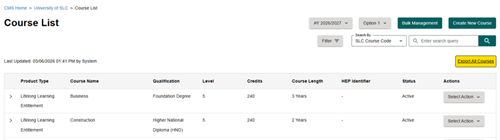
To export all courses, select the Export All Courses button from the Courses List within the LLE dashboard. This will download a file directly to your computer’s downloads folder.
The exported file will contain a full record of the course data, including all information entered across each section during the course creation process. This allows you to review, share, or retain a complete copy of your course data outside of CMS.
Exporting Modules
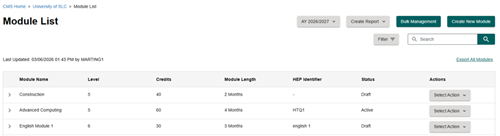
To export all modules, select the Export All Modules option from Module List within the LLE dashboard. This will download a file directly to your computer’s downloads folder.
The exported file will include all module data entered within CMS, showing the details recorded across each section of the module setup. This provides a complete extract of your module information for reference or external use.
Print this chapter